
Free flagship workbook
Turn a broad idea into a focused brief.
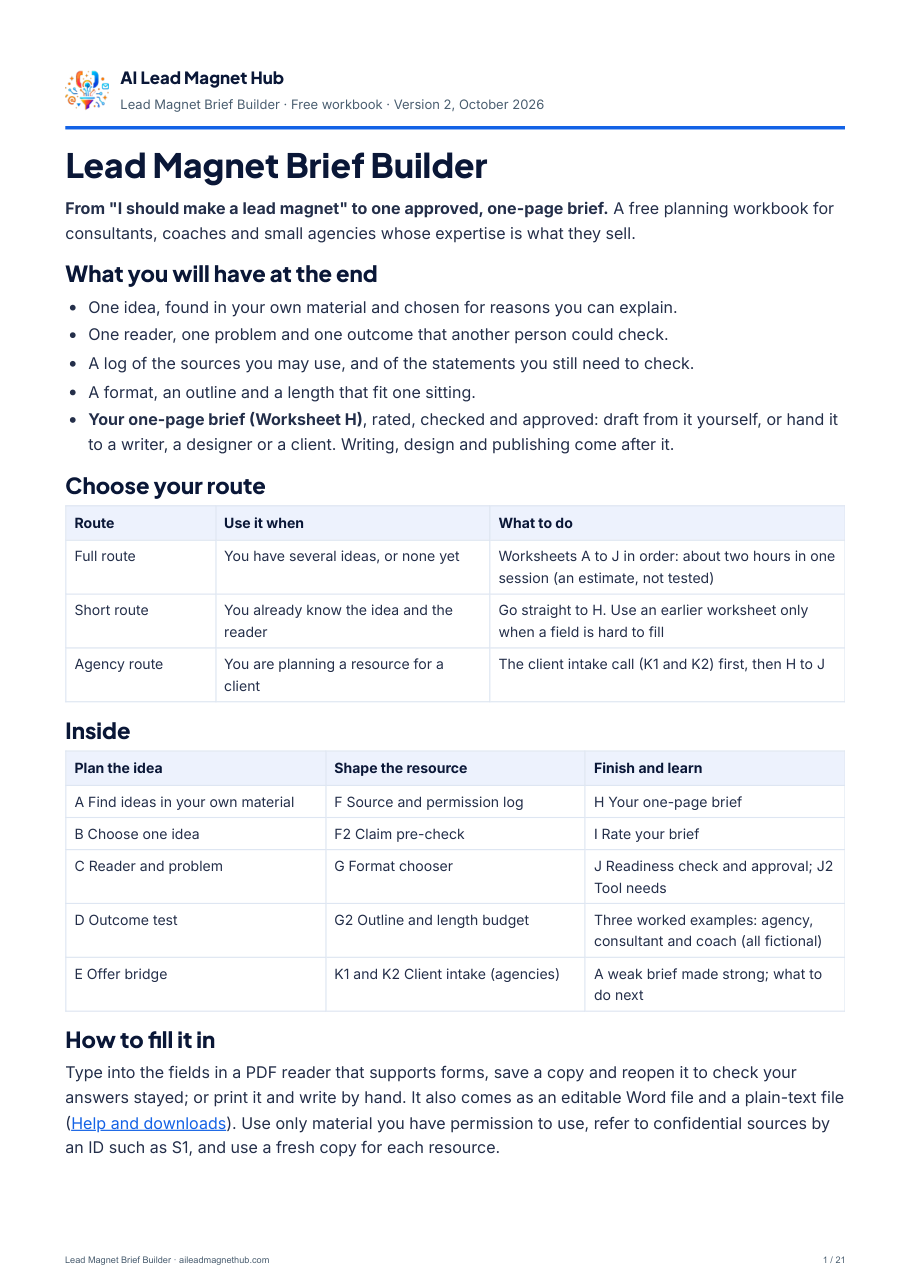
Lead Magnet Brief Builder. Find the idea in your own material, choose one reader, one useful task and approved sources, and finish a one-page brief you can draft from or hand to someone else.
Free. Sign up below and we send you a short email; reply VERIFY to it, so we know the address is yours, and we email you the workbook. Then come four short emails on using it, on days 2, 5, 9 and 14 (the last one names our own $79 Workflow Pack). Every email has an unsubscribe link.
Short on time? Start with the one-page brief.
You do not have to work through every worksheet first. Each one is there for the field you find hard to fill.
Open Worksheet H
The one-page brief: ten fields, each marked with the worksheet it comes from.
Fill what you know
Reader, problem, completion statement, who it is not for, offer, format, sources, next action, limits.
Use a worksheet if stuck
C for the reader, D for the outcome, E for the offer, F for sources, G for the format.
Rate and check
Score the brief on Worksheet I, then tick the twelve readiness checks on Worksheet J.
Are you a consultant with a defined service? The free Consultant Diagnostic Launch Kit walks you through one specific resource: a five-check client scorecard with honest score bands and a launch checklist.
Get your free Brief Builder.
Plan what to create before choosing how to create it.
What happens after you ask
Request the workbook by email.
Enter your first name and email address. Signing up also starts four short emails on using the workbook, on days 2, 5, 9 and 14.
Reply VERIFY to our short email.
We send it as soon as you press “Send my confirmation email”. Its subject starts “Reply VERIFY”, and your reply tells us the address is yours. As soon as your reply arrives, we email you the PDF link from almh@mail.thesmartlearningpath.com, with the subject “Your free Brief Builder is ready”. The Word file and the plain-text copy are on Help & Downloads. Then come the four short emails on days 2, 5, 9 and 14 (the last one names our own $79 Workflow Pack).
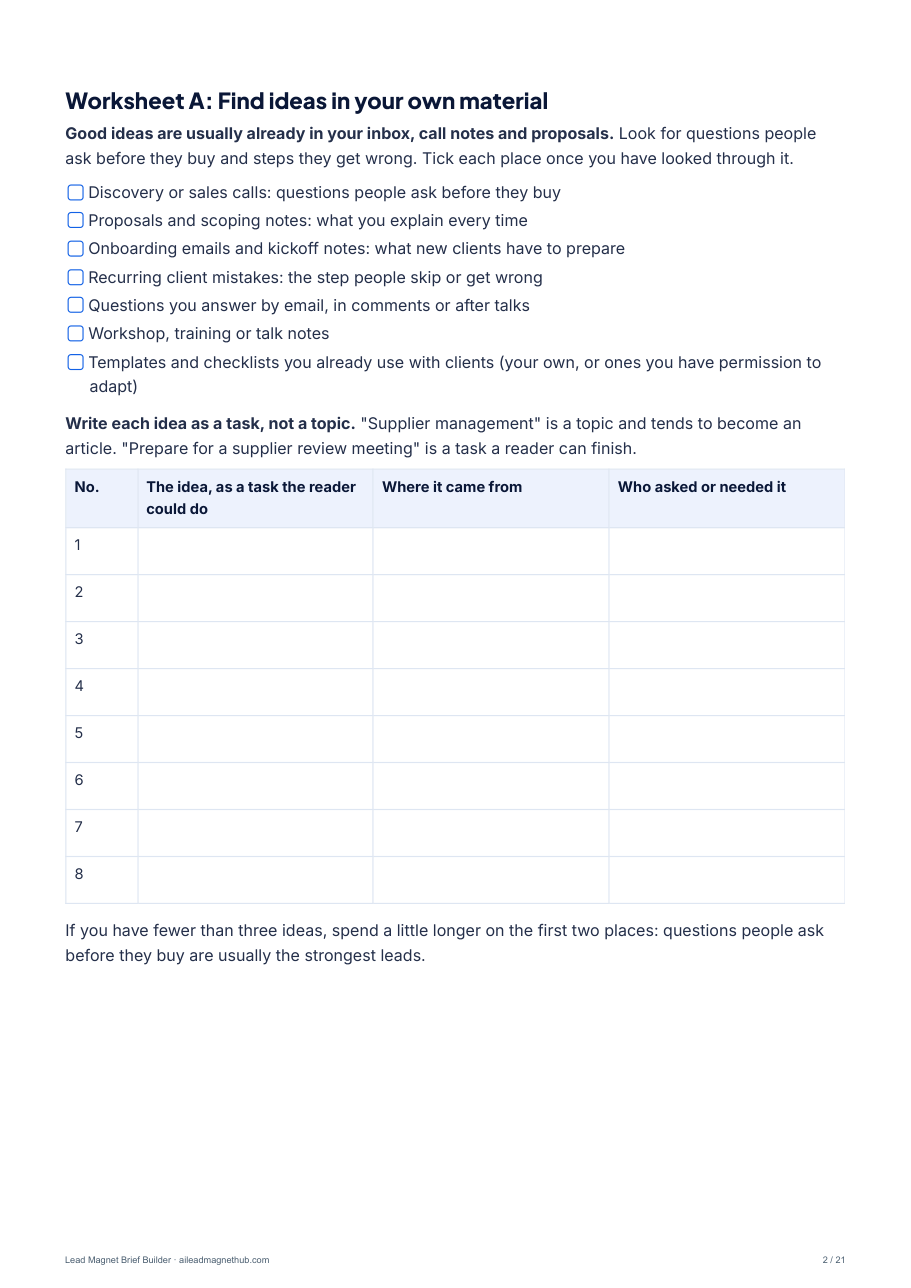
Start with Worksheet A, or go straight to Worksheet H.
Worksheet A helps you find ideas in your own material. If you already know the idea and the reader, the one-page brief is Worksheet H.
Every email has an unsubscribe link at the bottom. Read how we handle your details in our Privacy Policy.
Fifteen worksheets. One approved brief.
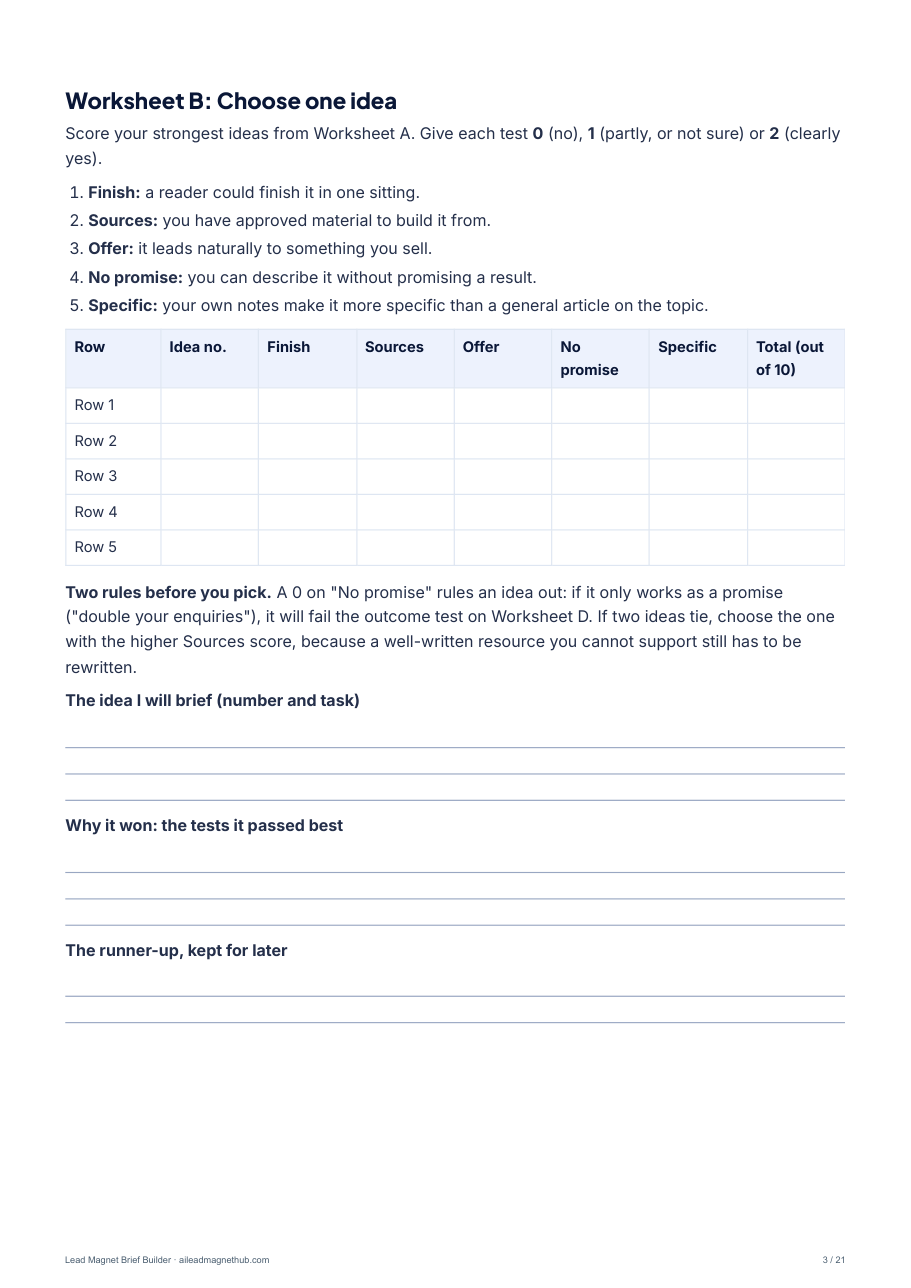
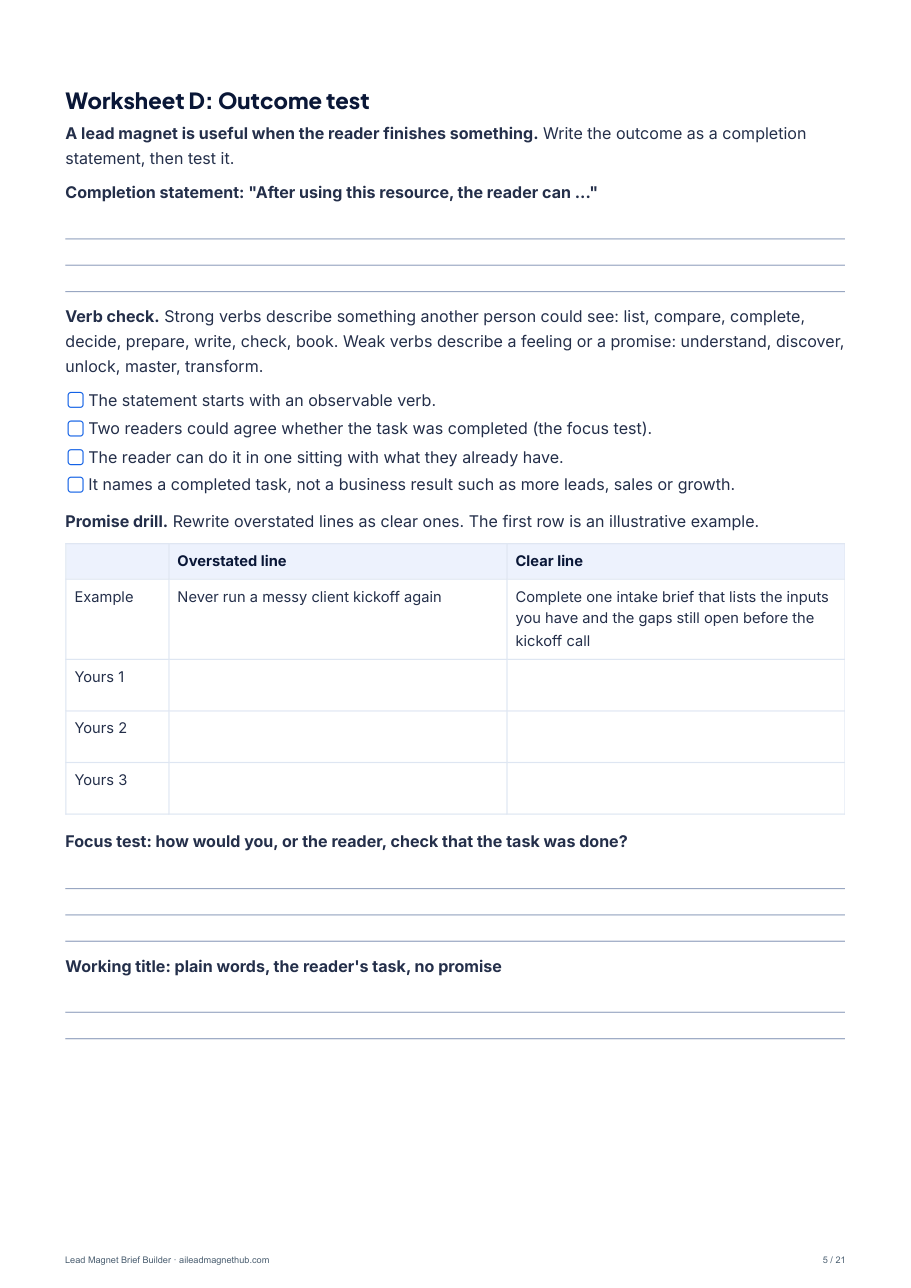
Work through them in order, or use only the ones you need. Every worksheet has a letter, so the brief shows where each decision came from.
Plan the idea (A to E)
Find ideas in your discovery calls, proposals, onboarding notes and client questions. Score them on five tests and pick one. Define one reader, their trigger moment and who the resource is not for. Write a completion statement and test it. Link it to your offer with a truthful bridge sentence.
Shape the resource (F to G2)
Log each source with its owner and permission. Decide now what happens to every statement readers might rely on: keep, verify, revise or remove. Choose a checklist, worksheet or mini-guide, then outline it with a length budget that fits one sitting.
Finish the brief (H to J2)
Copy your decisions onto the one-page brief. Score each field 0, 1 or 2 against written descriptions, tick twelve readiness checks and record who approved it. Worksheet J2 turns the brief into a list of tool needs, without naming or ranking any product.
Briefing a client (K1 and K2)
A seven-question intake call with what to listen for, and a record to send back to the client with one question: "Have we got this right?"
Learn from examples
Three completed briefs for fictional businesses (an agency, a fractional CFO consultant and a career coach), plus a weak brief rewritten field by field.
What to do next
The free resources for the next steps, in order, and one plain line about our own Workflow Pack.
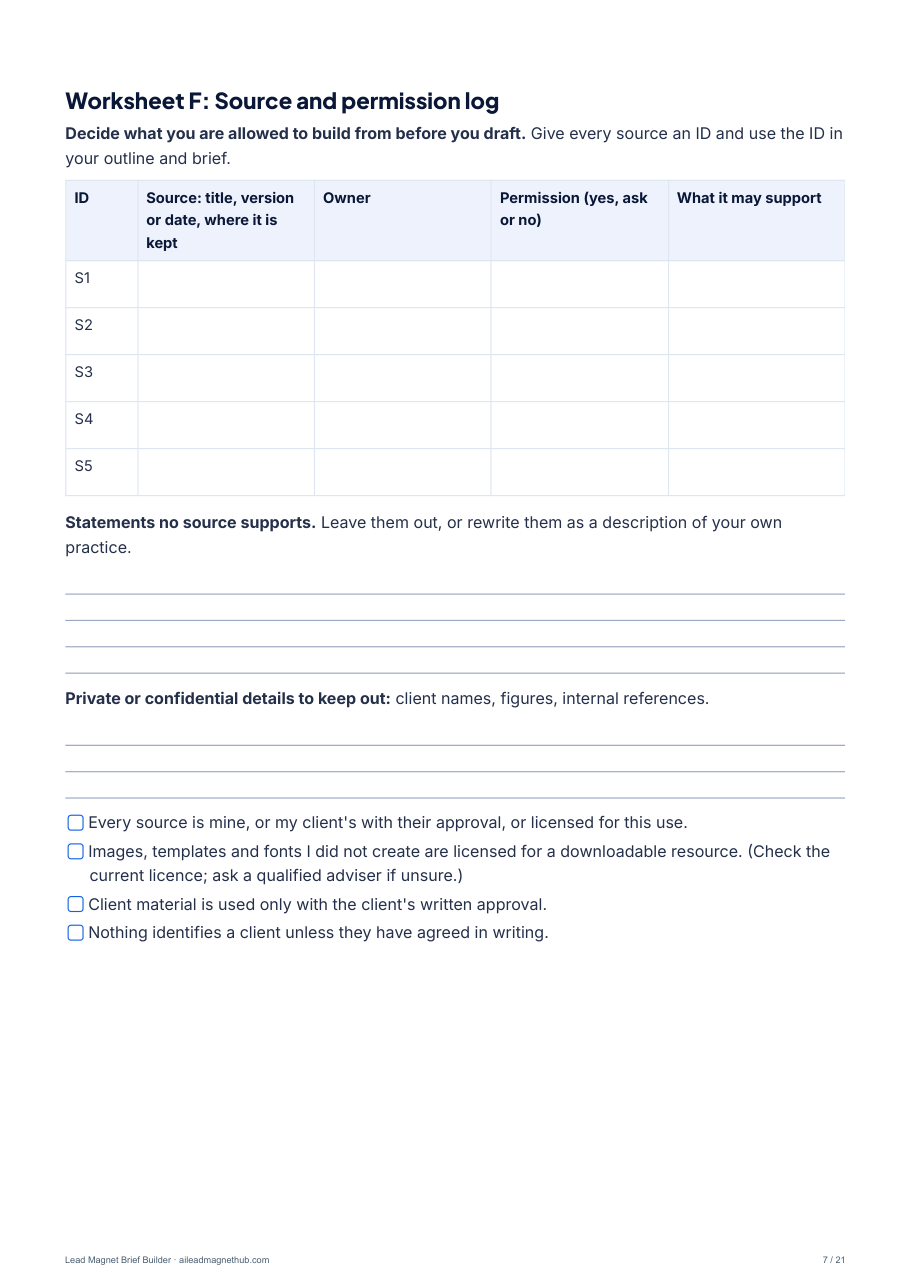
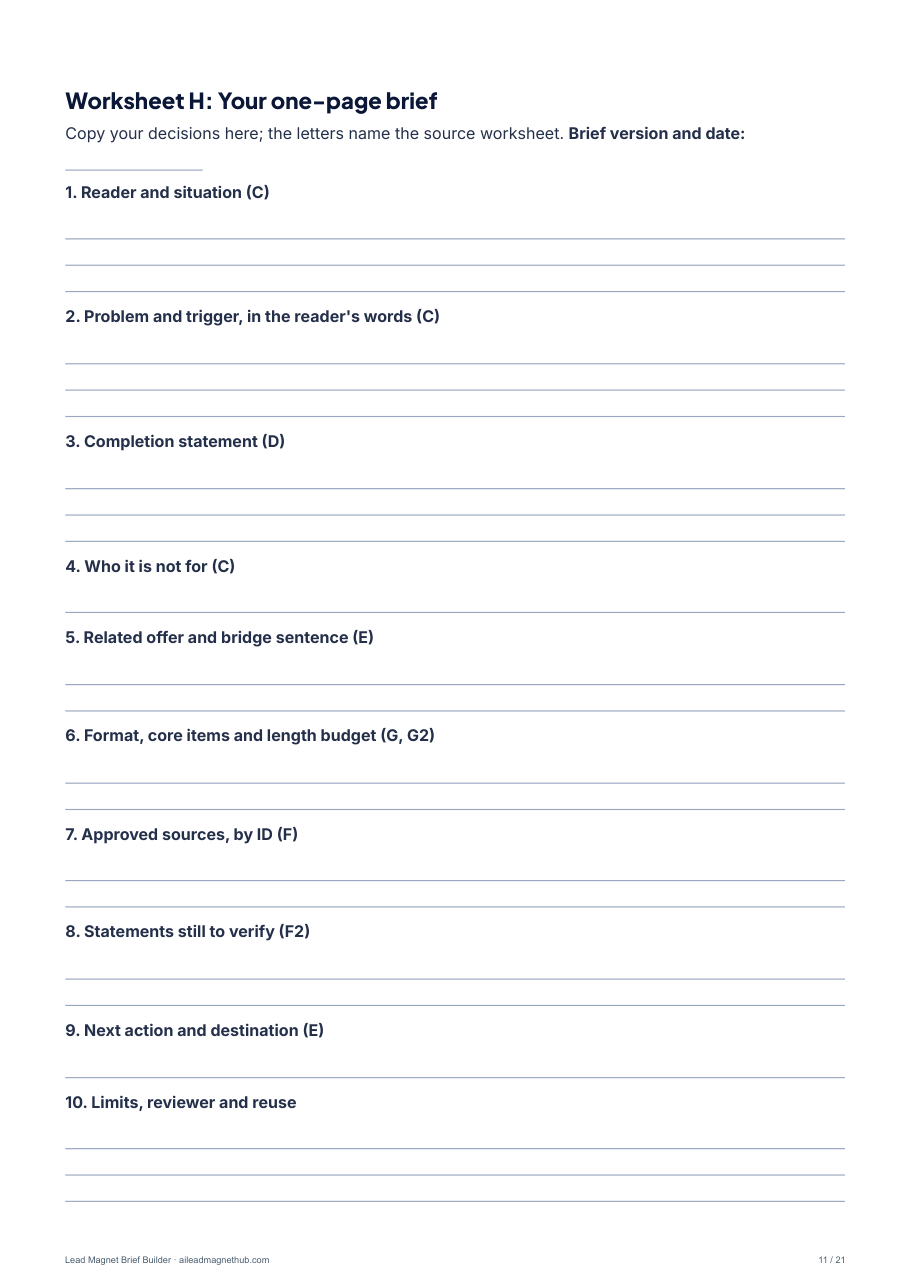
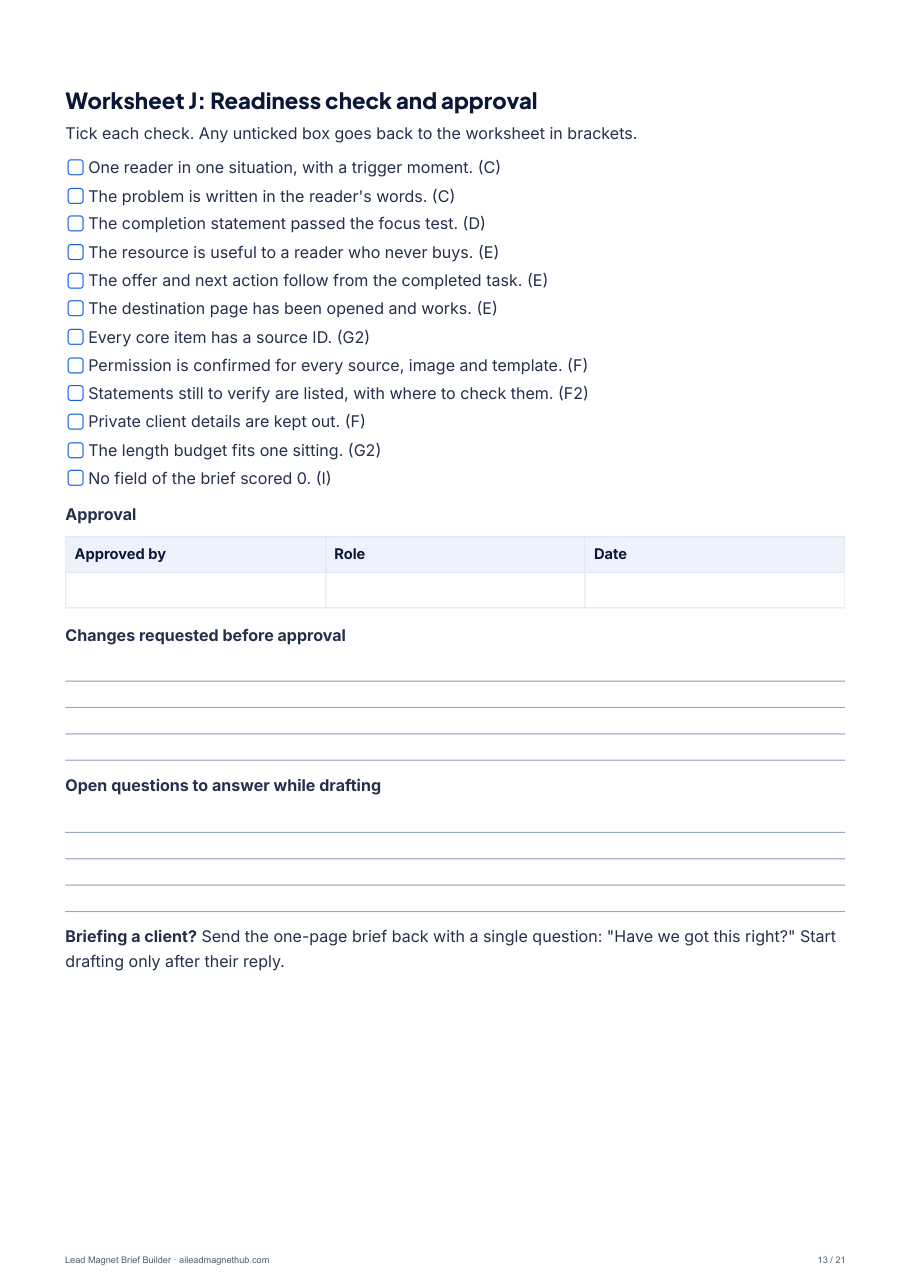
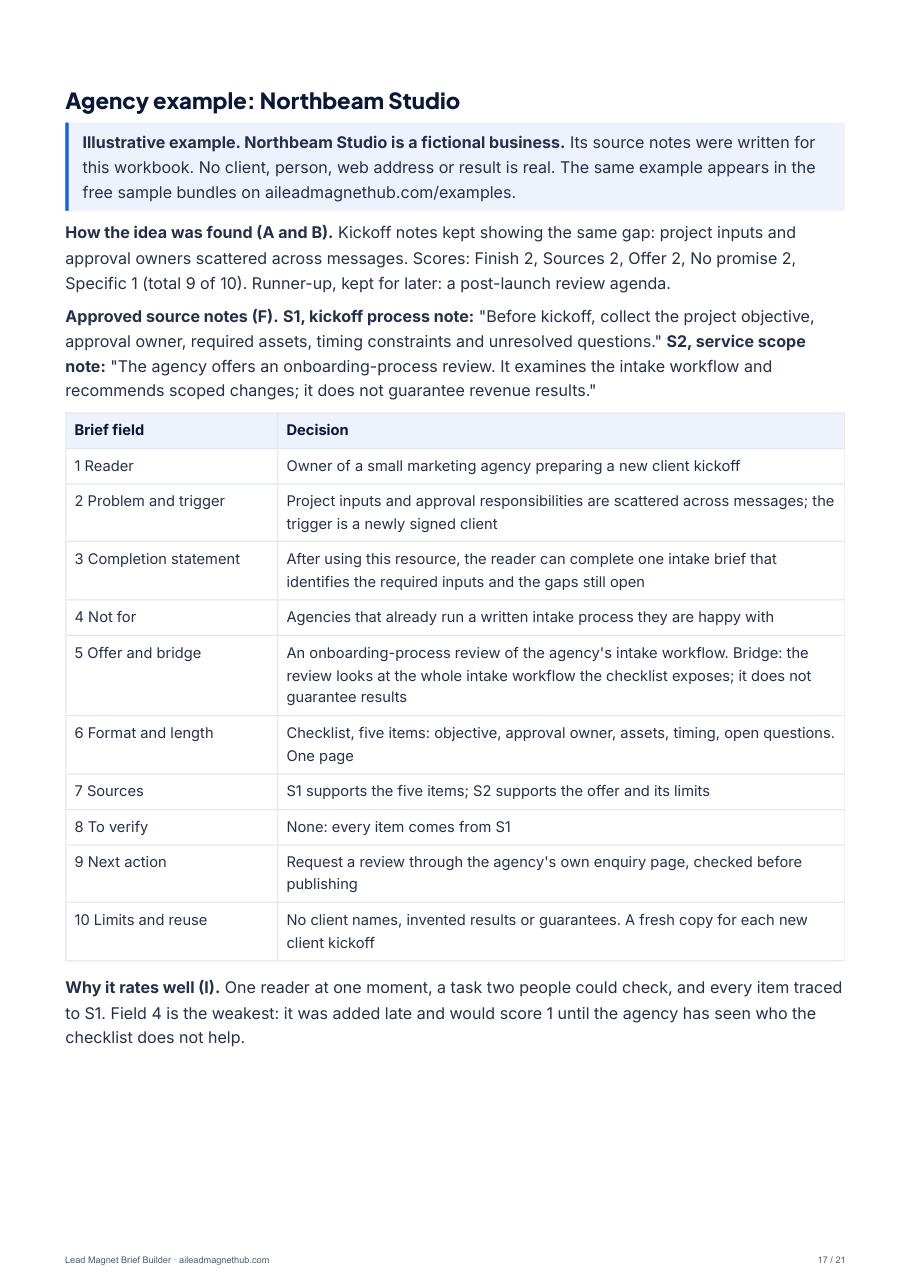
Your finished result is the approved brief on Worksheet H. Use it with your own editor, give it to a colleague or client with your approved sources, or keep it for the next campaign.
Formats: a fillable, tagged PDF (A4, 21 pages), an editable Word file (.docx) and a plain-text file. Lost a file? Every format is on Help & Downloads.
Pick one of three formats.
Worksheet G matches the format to what the reader will do with it.
Checklist
For a reader who roughly knows the task and must not miss a step. Five to nine checks, a completion check and one next action.
Worksheet
For a reader who has to write down their own inputs, numbers or decisions. Three to six questions with answer space, a summary and one next action.
Mini-guide
For a reader who needs the order and the reasons first. Three to five ordered steps with an example, a completion check and one next action.
Not sure which fits? Read Checklist or mini-guide? Choose the format before the software.
See a useful brief taking shape. Illustrative agency example
An agency owner is preparing a new client kickoff. This is one of the three worked examples in the workbook. The source notes were written for the workbook; no client result is claimed.
Audience
Owner of a small marketing agency preparing a new client kickoff.
Format and core
Checklist: record the objective, name the approval owner, collect assets, record timing, flag open questions. Based on S1.
Problem
Project inputs and approval responsibilities are scattered across messages.
Approved sources
S1 supports the intake steps; S2 supports the service scope and its boundaries.
Useful outcome
Complete one intake brief identifying the required inputs and remaining gaps.
Next action
Request a review through the agency's verified service enquiry page.
Related offer
An onboarding-process review of the agency's intake workflow.
Limits and reuse
No client names, invented results or guarantees. Reuse at each kickoff after checking the inputs.
S1: the sample kickoff-process note lists the inputs to collect before kickoff: objective, approval owner, required assets, timing constraints and unresolved questions. S2: the sample service-scope note describes an onboarding-process review that recommends scoped changes and does not guarantee revenue results.
The workbook also has a fictional fractional CFO's monthly cash review and a fictional career coach's promotion-conversation worksheet, each with how the idea was chosen and why the brief rates well. Replace the examples with your own audience, approved sources and actual offer.
Open it. Complete it. Keep your brief.
Open
Use a PDF reader that supports fillable forms, or open the Word file.
Complete
Type into the fields, or print the pages and write by hand.
Save & check
Save a copy, then reopen it to confirm your answers are still there.
Use material you have permission to use. Refer to confidential sources by an identifier, and keep private client information out of shared files. The PDF is tagged with its document language, every field has a spoken name, and the plain-text copy reads in order with a screen reader. Trouble opening or saving a file? Visit Help & Downloads.
A few useful things to know.
Is this the right resource for me?
It is if you are starting from a broad idea, or from no idea yet, and want to plan one resource. If you already have a finished resource, use the Promotion Copy Template. If you have a draft, use the Source & Claim Review Checklist. If you sell a defined service and want a client scorecard, use the Consultant Diagnostic Launch Kit. If you want to see a finished example first, download one of the sample campaign bundles. All of them are free.
Do I need a paid product?
No. Complete the workbook and use the brief with your own editor. Completing the brief does not require a paid product.
What emails will I get?
First, one short email asking you to reply VERIFY, so we know the address is yours. Once you do, we email you the download link, then four short follow-up emails over two weeks: one for each stage of the workbook, sent on days 2, 5, 9 and 14, and then they stop. The last one names our own $79 Workflow Pack. There is an unsubscribe link at the bottom of every email. See email preferences.
What do I get after requesting it?
An email with the link to the 21-page fillable PDF, sent as soon as you reply VERIFY to our short confirmation email. The editable Word file and the plain-text copy are on our Help & Downloads page. After that come the four follow-up emails on using the workbook, on days 2, 5, 9 and 14; the last one names our own $79 Workflow Pack.
Do I have to fill in all 21 pages?
No. If you already know the idea and the reader, go straight to Worksheet H, the one-page brief, and use the other worksheets only where a field is hard to fill. Pages 17 to 20 are worked examples to read, not forms.
Can I print it instead of typing into it?
Yes. You can type into the fields and save a copy, use the Word file, or print the workbook and write by hand.
Can I use it for client work?
Yes. Worksheets K1 and K2 give you a seven-question client intake call and a record to send back for confirmation. Use a fresh copy for each client resource. The method is explained in Brief a client for a lead magnet in one call.
Do you sell a paid version?
We sell one product of our own, the $79 Workflow Pack, for the steps after your brief. The workbook is complete without it.
After your brief: two more useful resources, also free.
Use either one on its own, before or after completing your brief.
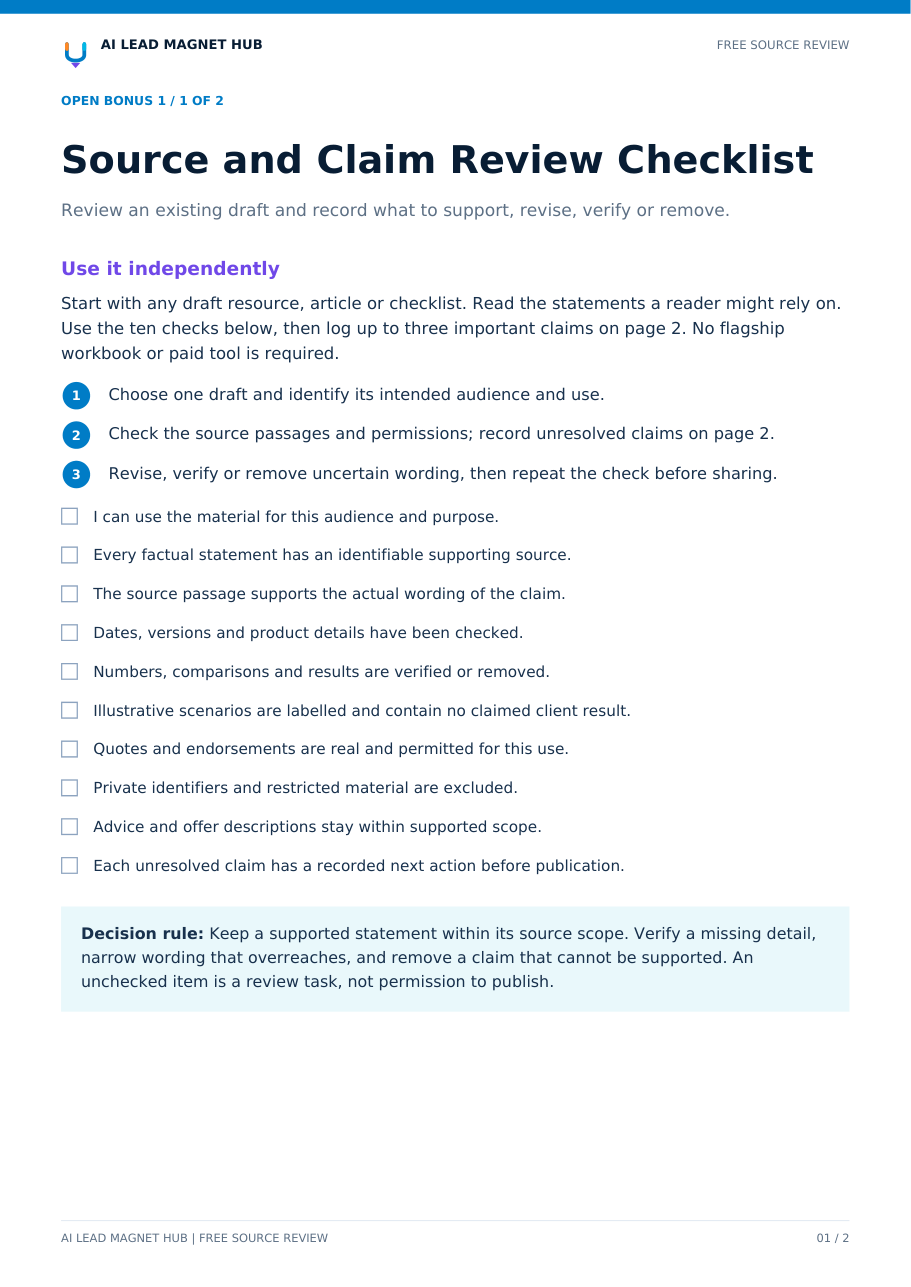
Source & Claim Review Checklist
Review the statements readers may rely on. Includes ten checks, three claim records and a worked example.
2-page fillable PDF · Free with your email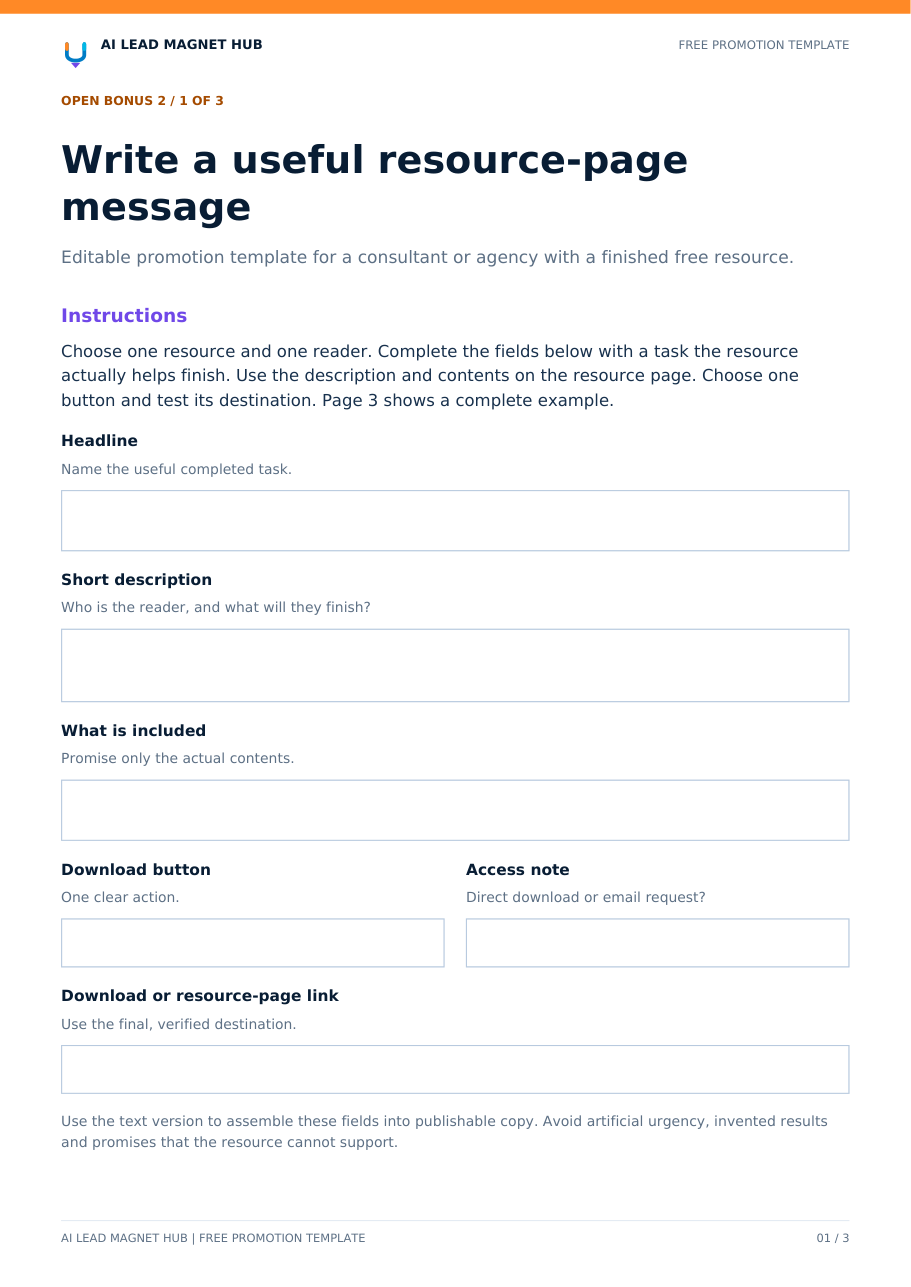
Promotion Copy Template
Explain your resource with resource-page, social-post and delivery-email templates and a completed example.
3-page PDF + editable text · Free with your email